
Xtreme HD IPTV delivers over 20,000 live channels and 80,000+ on-demand titles to nearly any screen in your home, starting at $15 per month. The service includes 4K Ultra HD streams on supported channels, proprietary Anti-Freeze™ server technology with sub-200ms failover, and compatibility with Firestick, Smart TVs, phones, tablets, and desktop computers. A free 24-hour trial is available with no credit card required. This guide covers everything from subscription plans to step-by-step device setup so you can start watching in minutes.
What Is Xtreme HD IPTV?
Xtreme HD IPTV is an internet-based television service that replaces traditional cable and satellite by streaming live TV, movies, and series over a broadband connection. It uses the IPTV protocol to deliver content directly to supported apps and devices without requiring a cable box, dish, or long-term contract.
What sets the platform apart technically is its Anti-Freeze™ infrastructure. When a server node hits load or latency spikes, the system reroutes your stream to a healthier node in under 200 milliseconds. In practice, that means fewer buffering interruptions — especially during high-traffic events like NFL Sunday or Premier League weekends.
Xtreme HD IPTV runs on a subscription model with four plan tiers. There are no hidden fees, no equipment rental charges, and no cancellation penalties. For an independent take on reliability and performance, you can read OnPattison's independent 90-day Xtreme HD IPTV review.
Xtreme HD IPTV Channels and Content Library
The Xtreme HD IPTV channel lineup includes more than 20,000 live channels sourced from the United States, United Kingdom, Canada, and dozens of other countries. Coverage spans sports, news, entertainment, kids' programming, music, and international-language content.
Sports coverage is particularly deep. You get access to channels carrying NFL, NBA, MLB, NHL, Premier League, La Liga, Serie A, UFC, and WWE events. Regional sports networks (RSNs) are included for major US markets, which matters if you follow a local MLB or NBA team.
Beyond live TV, the on-demand library holds over 80,000 movies and TV series. New theatrical releases and current-season episodes typically show up within 24 to 48 hours of their original air date. Categories are organized by genre, release year, and rating, so finding something to watch doesn't turn into an endless scrolling session.
4K Ultra HD streams are available on select channels and on-demand titles where the source content supports it. Most live channels broadcast in 1080p Full HD, with some international feeds at 720p. You can browse the full channel list on the Xtreme HD IPTV channels page.
Xtreme HD IPTV Pricing Plans Explained
Xtreme HD IPTV keeps pricing simple with four subscription tiers. Every plan includes the full channel lineup, on-demand library, and Anti-Freeze™ technology — the only difference is how long you commit.
| Plan | Duration | Total Price | Effective Monthly Cost |
|---|---|---|---|
| Monthly | 1 Month | $15 | $15.00/mo |
| Quarterly | 3 Months | $29 | $9.67/mo |
| Semi-Annual | 6 Months | $49 | $8.17/mo |
| Annual | 12 Months | $65 | $5.42/mo |
The annual plan works out to roughly $5.42 per month — less than what most cable companies charge for a single premium add-on channel. There aren't any activation fees, and all plans auto-renew unless you cancel before the renewal date.
Full plan details, including payment methods and multi-device options, are available on the GetXtremeHD plans page.
Ready to try GetXtremeHD? Get a free 24-hour trial — no credit card, full access to 20,000+ channels.
Start Free Trial →Xtreme HD IPTV Supported Devices
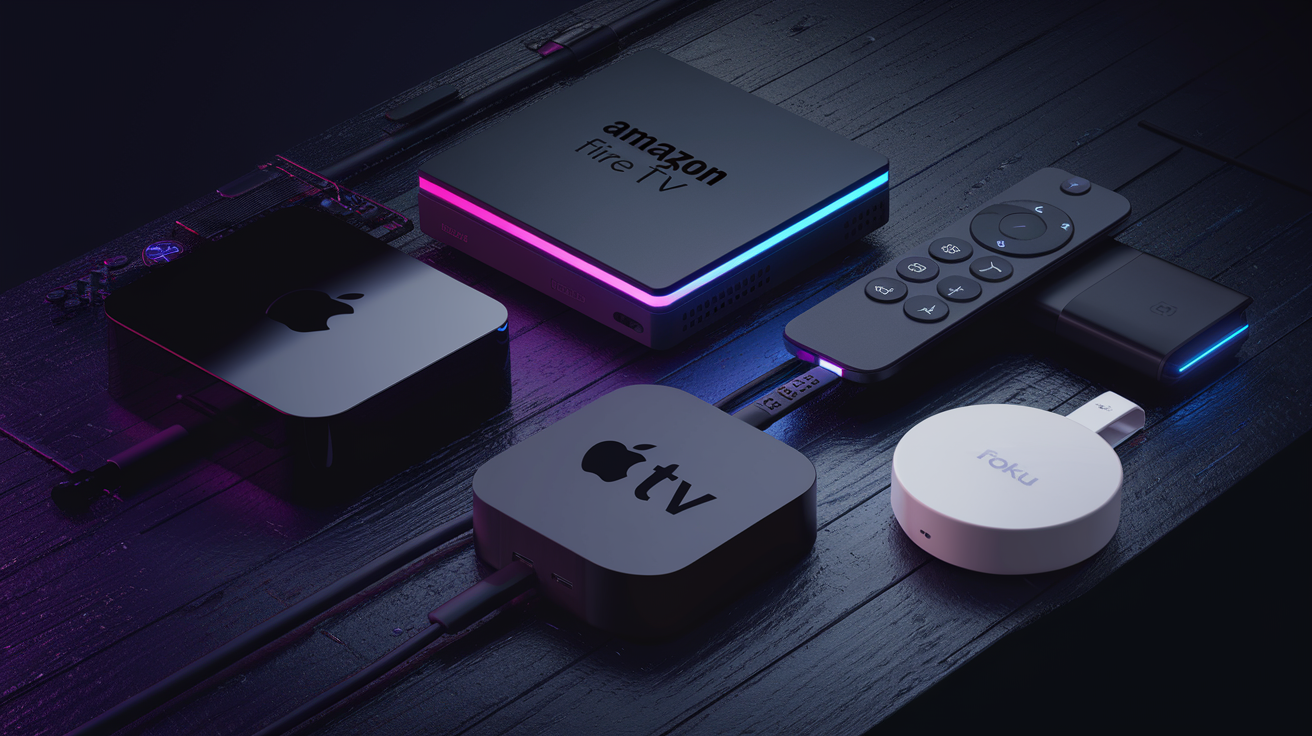
One subscription works across a wide range of hardware. You don't need to buy proprietary equipment — if you've already got a Firestick, Smart TV, or smartphone, you're good to go.
| Device Category | Supported Models | Recommended App |
|---|---|---|
| Amazon Fire | Firestick, Firestick 4K, Firestick 4K Max, Fire TV Cube | IPTV Smarters Pro, TiviMate |
| Android TV | Nvidia Shield, Chromecast with Google TV, Mi Box, Sony Android TV | TiviMate, IPTV Smarters Pro |
| Smart TV | Samsung Tizen (2017+), LG webOS (2018+) | IPTV Smarters Pro, Smart IPTV |
| Apple | iPhone, iPad, Apple TV 4K | GSE Smart IPTV, IPTV Smarters |
| Desktop | Windows 10/11, macOS | VLC Media Player, IPTV Smarters |
| Set-Top Box | MAG 254, MAG 322, MAG 420+, Formuler Z series | Built-in portal |
For the best experience, the Amazon Firestick 4K Max and Nvidia Shield consistently deliver the smoothest performance thanks to their dedicated hardware decoding. A complete compatibility breakdown is on the supported devices page.
How to Set Up Xtreme HD IPTV on Firestick
The Firestick is the most popular device for IPTV, and setup takes about five minutes. These instructions use the Downloader app method, which works on all Firestick models running Fire OS 5 or later.
Before You Begin
Make sure your Firestick is connected to Wi-Fi and signed into your Amazon account. You'll also need your Xtreme HD IPTV subscription credentials (username, password, and server URL), which arrive by email after purchase or trial activation.
Step-by-Step Installation
- Enable Apps from Unknown Sources. Go to Settings > My Fire TV > Developer Options. Toggle "Apps from Unknown Sources" to ON. On newer Fire OS versions, this may appear under Settings > My Fire TV > Developer Options > Install Unknown Apps, where you enable it specifically for the Downloader app.
- Install the Downloader App. From the Firestick home screen, select the Search icon (magnifying glass). Type "Downloader" and install the orange Downloader app by AFTVnews.
- Download IPTV Smarters Pro. Open Downloader. In the URL field, enter the download link for IPTV Smarters Pro (provided in your welcome email or available from the official Smarters website). Select "Go." The APK file will download automatically.
- Install the APK. Once the download finishes, a prompt will appear. Select "Install." Wait for the installation confirmation, then select "Done" to return to Downloader.
- Delete the APK File. Downloader will ask if you want to delete the installation file. Select "Delete" to free up storage space.
- Open IPTV Smarters Pro. Navigate to Settings > Applications > Manage Installed Applications, find IPTV Smarters Pro, and select "Launch Application." Alternatively, it may appear in the "Your Apps & Channels" row on the home screen.
- Log In with Your Credentials. Select "Login with Xtream Codes API." Enter your username, password, and server URL exactly as provided in your activation email. Select "Add User."
- Start Watching. The app will load your channel categories. Select "Live TV" for live channels or "VOD" for on-demand content. Channels are sorted by country and genre.
Pro Tip: If you're on a Firestick 4K or 4K Max, go into IPTV Smarters Pro settings and set the video player to "Hardware Decoder." This offloads processing to the Firestick's dedicated video chip and reduces stuttering on HD and 4K streams.
Pro Tip: Users on ISPs like Comcast, Spectrum, or AT&T should consider a VPN if they notice throttling during peak hours. A VPN encrypts your traffic so your ISP can't selectively slow IPTV streams.
For a visual walkthrough with screenshots, check the dedicated Firestick setup guide.
How to Set Up Xtreme HD IPTV on Smart TV
Samsung and LG Smart TVs support IPTV apps directly through their built-in app stores, so you don't need any external hardware.
Samsung TV (Tizen OS, 2017 and newer)
- Press the Home button on your Samsung remote.
- Open the Samsung App Store (Apps).
- Search for IPTV Smarters Pro or Smart IPTV.
- Install the app and open it.
- Select "Login with Xtream Codes API" and enter your Xtreme HD IPTV credentials.
- Your channel list loads automatically. Browse by category or use the search function.
LG TV (webOS, 2018 and newer)
- Press the Home button on your LG remote.
- Open the LG Content Store.
- Search for IPTV Smarters Pro or Smart IPTV.
- Install and open the app.
- Enter your Xtreme HD IPTV login details using the Xtream Codes API option.
- Select your preferred channel category and start streaming.
Pro Tip: On Samsung TVs, set the Picture Mode to "Movie" or "Filmmaker Mode" for the most accurate color reproduction with IPTV content. The default "Standard" mode applies excessive sharpening that can introduce artifacts on compressed streams.
How to Set Up Xtreme HD IPTV on iOS and Android
Android Phones and Tablets
- Open the Google Play Store.
- Search for IPTV Smarters Pro and install it.
- Open the app and accept the terms of service.
- Select "Login with Xtream Codes API."
- Enter your Xtreme HD IPTV username, password, and server URL.
- Select "Add User" and the channel list populates immediately.
iPhone and iPad
- Open the App Store.
- Search for GSE Smart IPTV (IPTV Smarters is also available on iOS in some regions).
- Download and open the app.
- Tap the + icon or "Add Playlist" option.
- Select Xtream Codes API as the login method.
- Enter your credentials and server URL.
- Your channels and VOD library will appear under their respective tabs.
Pro Tip: On mobile, downloading content over Wi-Fi before switching to cellular saves a ton of data. If you do stream on cellular, 720p uses roughly 1.5 GB per hour, while 1080p burns through about 3 GB per hour.
Need help with any setup? Get setup help on WhatsApp from the Xtreme HD IPTV support team.
Xtreme HD IPTV System Requirements
IPTV quality depends heavily on your internet connection. Here are the minimum and recommended specs for a smooth experience.
| Stream Quality | Minimum Speed | Recommended Speed |
|---|---|---|
| SD (480p) | 3 Mbps | 5 Mbps |
| HD (720p) | 5 Mbps | 10 Mbps |
| Full HD (1080p) | 10 Mbps | 20 Mbps |
| 4K Ultra HD | 25 Mbps | 50 Mbps |
These figures are per stream. If two people are watching simultaneously on different devices, double the requirement. A wired Ethernet connection is always preferable to Wi-Fi for 4K content since it eliminates the interference and latency spikes that cause buffering.
According to TechRadar's VPN testing methodology, a quality VPN adds roughly 10-20% overhead to your connection speed. Factor that in if you use one.
Xtreme HD IPTV Free Trial: How to Start
Xtreme HD IPTV offers a free 24-hour trial with full access to all 20,000+ channels, the entire on-demand library, and 4K streams where available. No credit card is required.
How to Activate the Trial
- Visit the free trial page.
- Enter your name and email address.
- You'll receive login credentials (username, password, server URL) via email within a few minutes.
- Use those credentials to log in on any supported app and device using the setup steps above.
- The trial lasts 24 hours from the moment of activation.
The trial's a smart way to test whether your internet connection plays nicely with the service before committing to a paid plan. Try it during peak evening hours (7 PM to 11 PM local time) when your ISP is busiest — that's the real stress test.
Xtreme HD IPTV vs Cable TV Cost Comparison
Here's how Xtreme HD IPTV stacks up against typical cable TV costs for US households.
| Expense | Cable TV (Avg.) | Xtreme HD IPTV (Annual Plan) |
|---|---|---|
| Monthly Service | $83 - $150 | $5.42 |
| Equipment Rental | $10 - $25/mo | $0 (use existing devices) |
| DVR Fee | $10 - $20/mo | $0 (on-demand library included) |
| HD/4K Fee | $5 - $10/mo | $0 (included) |
| Sports Package Add-on | $10 - $15/mo | $0 (included) |
| Installation Fee | $50 - $100 (one-time) | $0 (self-install in 5 min) |
| Annual Total | $1,416 - $2,640 | $65 |
Even comparing the monthly Xtreme HD IPTV plan at $15/month ($180/year) against the lowest cable tier, the savings are pretty hard to ignore.
Xtreme HD IPTV Customer Support Options
Support is available through multiple channels. The fastest way to get help is WhatsApp at +44 7786 404877, where response times are typically under 30 minutes during business hours.
You can also reach the team through the contact page on GetXtremeHD.com for email-based inquiries. Setup issues, billing questions, and technical troubleshooting are all handled through these channels.
For account management — password resets, plan changes, and the like — the subscriber dashboard on the website lets you handle things yourself without contacting support.
Looking for Different Features?
Xtreme HD IPTV covers most use cases well, but different viewers have different priorities. Here are some alternatives worth a look depending on what you're after.
If you want a quick US-focused setup with minimal configuration, TVOnFly (tvonfly.com) is built for fast activation with a US-centric channel package.
Viewers who prioritize international content from Asia, Africa, the Middle East, and Latin America should check out MGUTV (mgutv.com), which focuses heavily on global coverage.
If you're on a tight budget and just want basic live TV without all the bells and whistles, Optimal IPTV (optimaliptv.com) offers competitive entry-level pricing.
And if sheer channel count is what matters most to you, Nigma IPTV (nigmaiptv.org) is known for maintaining one of the largest channel databases around.
Frequently Asked Questions
Is Xtreme HD IPTV legal?
IPTV technology itself is legal and widely used by services like YouTube TV and Hulu Live. The legality of specific content depends on licensing in your jurisdiction. Xtreme HD IPTV operates as a subscription service delivering content over the internet.
Do I need a VPN to use Xtreme HD IPTV?
A VPN isn't required, but it's worth considering. Some US ISPs like Comcast and Spectrum have been known to throttle IPTV traffic, and a VPN prevents them from identifying and slowing your streams.
Can I use Xtreme HD IPTV on multiple devices at once?
Each subscription supports one connection at a time. If you need simultaneous streams for multiple TVs or family members, you'll need additional connections. Contact support via WhatsApp at +44 7786 404877 for multi-device pricing.
What internet speed do I need for Xtreme HD IPTV?
You'll want at least 10 Mbps for 1080p Full HD streams. For 4K content, 25 Mbps is the minimum, though 50 Mbps is recommended. A wired Ethernet connection produces better results than Wi-Fi.
Does Xtreme HD IPTV work with TiviMate?
Yes. TiviMate is fully compatible and is actually the preferred app for Firestick and Android TV users. Just use the Xtream Codes API login option within TiviMate to connect your subscription.
How do I get the free trial?
Visit the free trial page, enter your email, and credentials are sent automatically. The 24-hour trial includes full access to all channels, on-demand content, and 4K streams. No credit card needed.
What channels are included with Xtreme HD IPTV?
The service includes 20,000+ live channels covering US, UK, Canadian, and international networks. Sports, news, entertainment, kids, and movie channels are all included in every plan. Visit the channels page for the complete list.
Can I install Xtreme HD IPTV on a Samsung Smart TV?
Yes. Samsung TVs running Tizen OS (2017 models and newer) can install IPTV Smarters Pro or Smart IPTV directly from the Samsung App Store. See the Smart TV setup section above for step-by-step instructions.
What happens when my subscription expires?
Your access stops immediately when the subscription period ends. There's no gradual content lockout. You can renew at any time through the website, and your channel favorites and settings are preserved.
Does Xtreme HD IPTV have a catch-up or DVR feature?
The 80,000+ on-demand library serves as the primary catch-up feature. Most popular shows and live events are added to the VOD section within 24 to 48 hours after airing. Traditional DVR recording isn't available.
What payment methods does Xtreme HD IPTV accept?
Payment options include major credit and debit cards as well as cryptocurrency. Specific available methods are displayed at checkout on the pricing page.
How quickly can I start watching after subscribing?
Activation is typically instant. Your login credentials arrive by email within minutes of payment confirmation, and setup on most devices takes under five minutes using the steps in this guide.
Xtreme HD IPTV is a practical cable TV alternative with a massive channel count and content library that'll cover most viewing habits. Whether you're on a Firestick, Smart TV, or phone, setup is quick and the pricing tiers are flexible enough for different budgets. The free trial takes all the guesswork out of it — choose your plan and see what 20,000+ channels look like on your screen.